
Collection split bills are here: front the money, see who's paid at a glance
Paji Splitly collection mode is built for paying for the group up front and collecting it back: assign each person's amount from a shared charge-item catalog, track who's paid on one sheet, and handle partial payments, overpayments, collector self-pay, and shared payment methods.
The person who fronts the money always ends up doing the most work
A group order, concert tickets, club dues, a shared gift — often one person pays for all of it first, then collects from everyone afterward.
Paying is the easy part. The hassle comes later. Who's transferred, who hasn't, did Alex send fifty short, did Bea even get your account number — it all lands on the person who fronted the money. You scroll through your transaction history while pinging people one by one: "no rush, just send it over whenever."
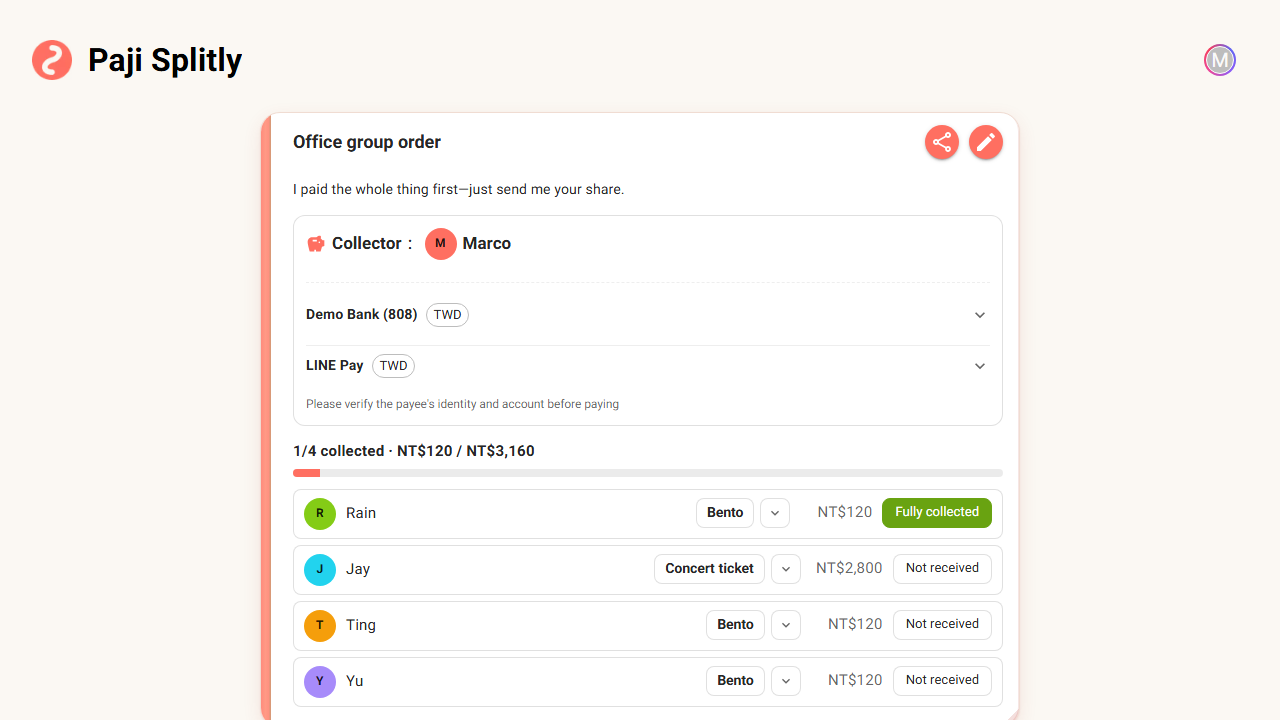
Paji Splitly's new collection mode is built for exactly this — one person pays first, then collects from the group. Create a bill, choose collection mode, and you're the collector: everyone owes you, no one owes each other, and the whole bill focuses on one thing — who's paid and who hasn't.
See who's paid and who hasn't on one tracker
A regular split bill gives you a list of expenses. That fits "everyone spends together, split it at the end." Collection is the opposite: the money is already paid, and what you're chasing is getting it back.
So collection mode swaps the layout for a tracker. Each row is one person — their amount due, whether they've paid, and the overall progress. Who's paid, how many are left, whether you've collected it all — one glance, no headcount through a wall of messages.
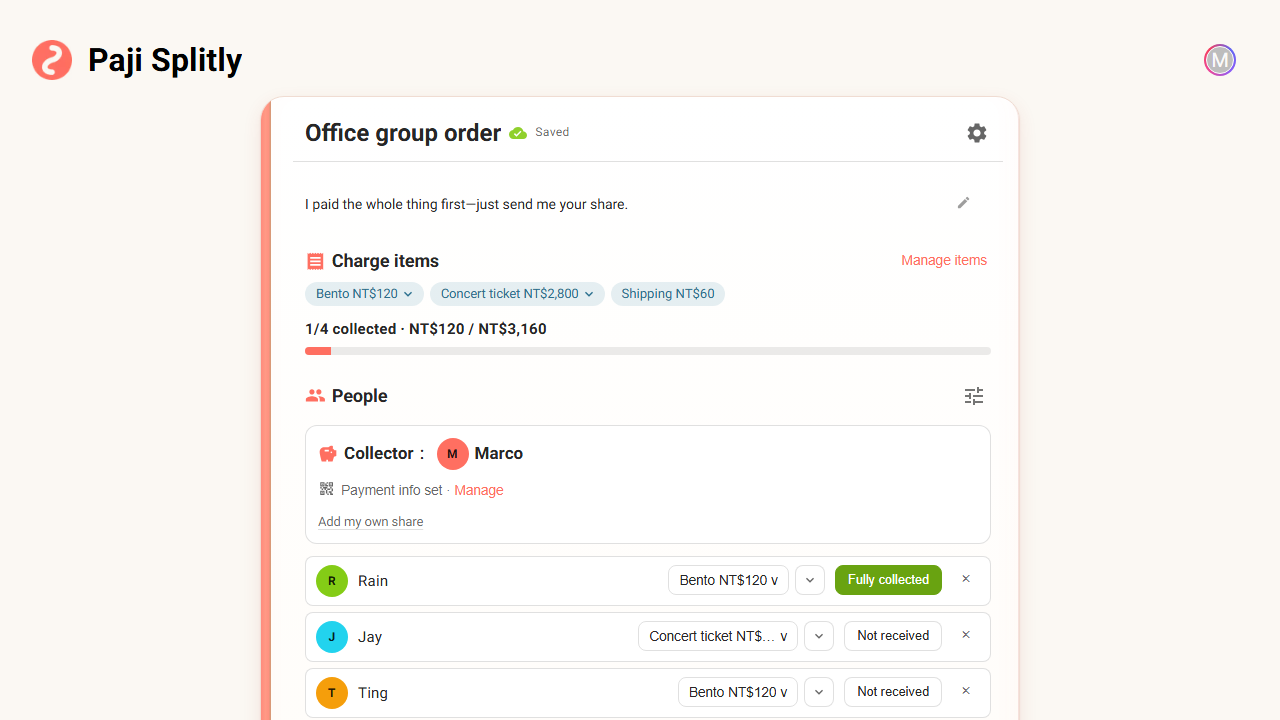
Marking someone as paid is something only the collector (or the bill's owner) can do — the money lands in your account, so you confirm it. Everyone else can see the status, but won't accidentally change your record.
You decide how much each person owes
Not everyone owes the same. Someone ordered an extra one, someone went halves, someone needs to add shipping — collection mode handles this with a shared charge-item catalog.
You set up the items first — say "Bento $120," "Concert ticket $2,800," "Shipping $60" — then assign them to the right people. One item can go to many people, different people can owe different items, and the amount follows the item automatically. Want everyone the same? That works too.
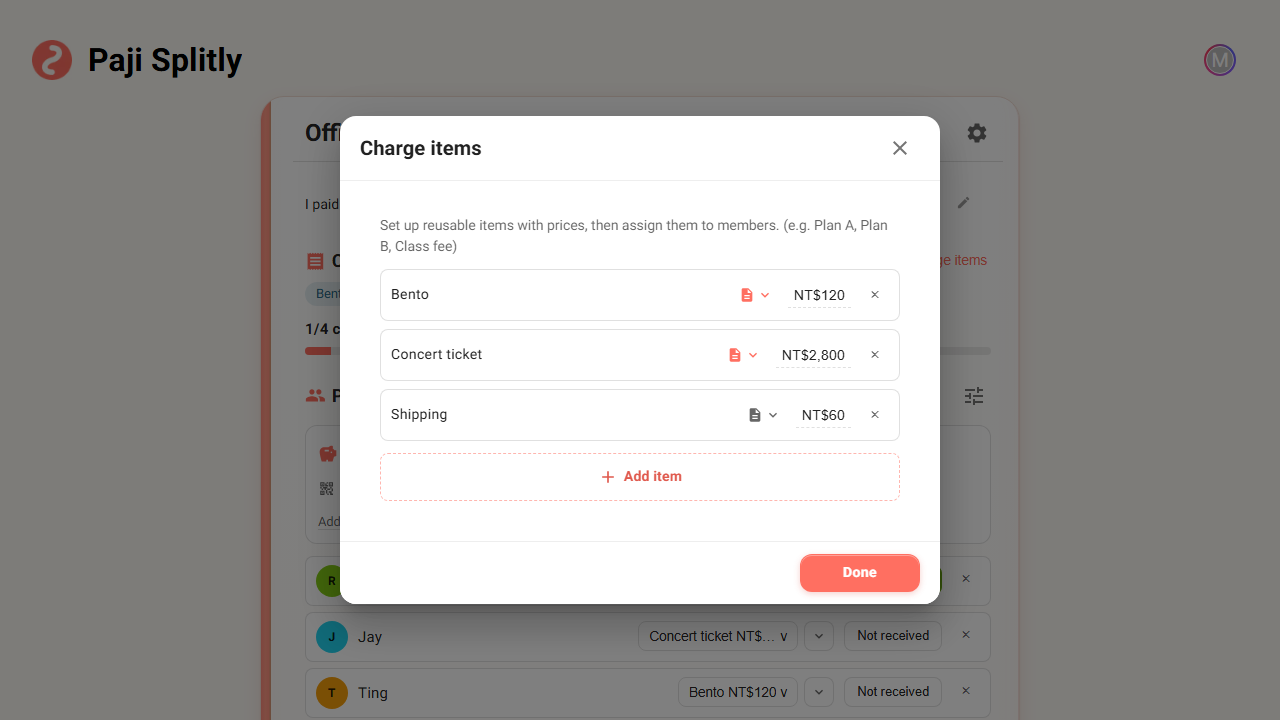
If what you're collecting needs explaining, a charge item can carry a note, an image, a link, and tags. A group-buy item can show a photo, a ticket can link to the show — so people see more than a number, they see what they're actually paying for.
Partial payments and overpayments are handled too
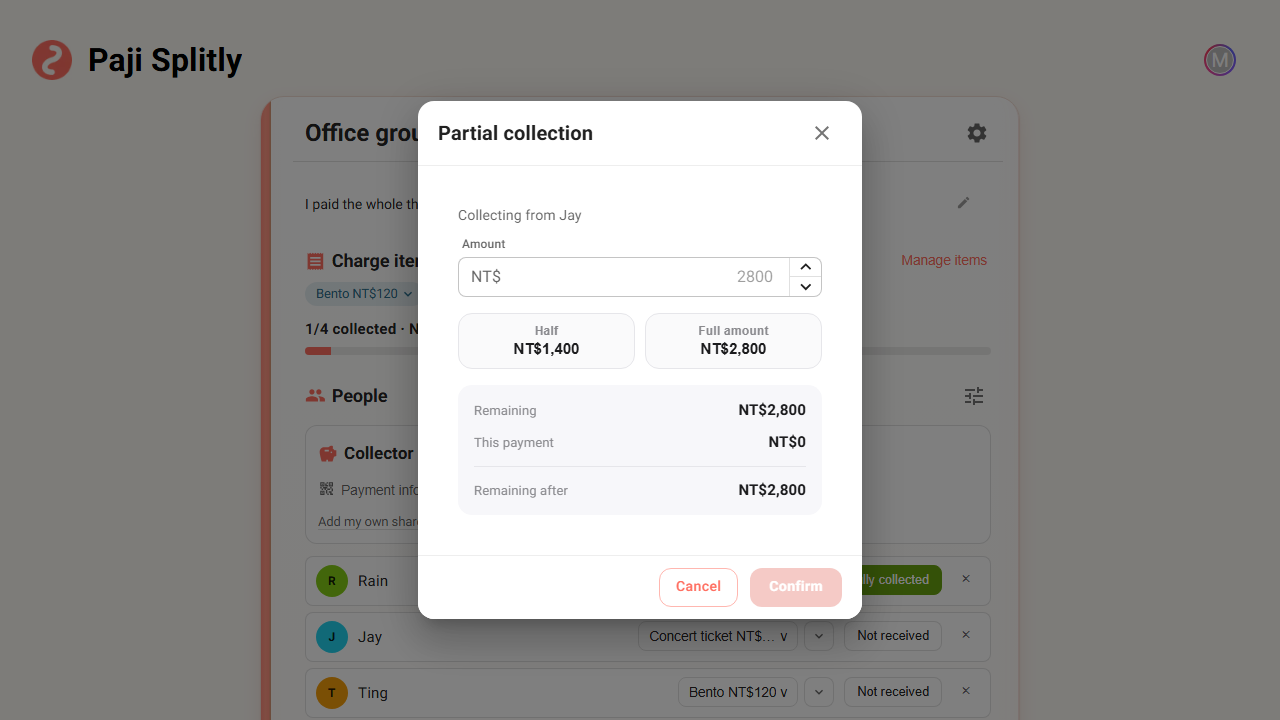
In real life, money rarely arrives in one clean amount. Someone sends half and says "the rest next week," someone fat-fingers an extra transfer, someone changes the agreed amount later.
Collection mode catches all of it. Record a partial payment and the tracker shows "collected so far, still owed"; when someone overpays, it keeps a record of the surplus so you can refund it. Even if you change someone's amount later, what you've already collected is kept as a repayment — it doesn't vanish. Changing one number won't lose what's already in.
Want to include your own share? You can
The collector is usually the one who only collects, never pays — the money was yours up front, after all. But sometimes you're in on it too, like a group order where you bought one as well.
For that, there's a quiet entry under the collector row — tap it and you can record a share for yourself. If you don't need it, it never shows up, so the screen stays simple. Your own share is self-paid and cancels itself out, so it doesn't inflate the "how much to collect" progress or total — what's owed still counts only the others.
Let everyone know how to pay you
The last mile of collecting often stalls on "wait, what's your account again?" Pasting your transfer details every time gets old.
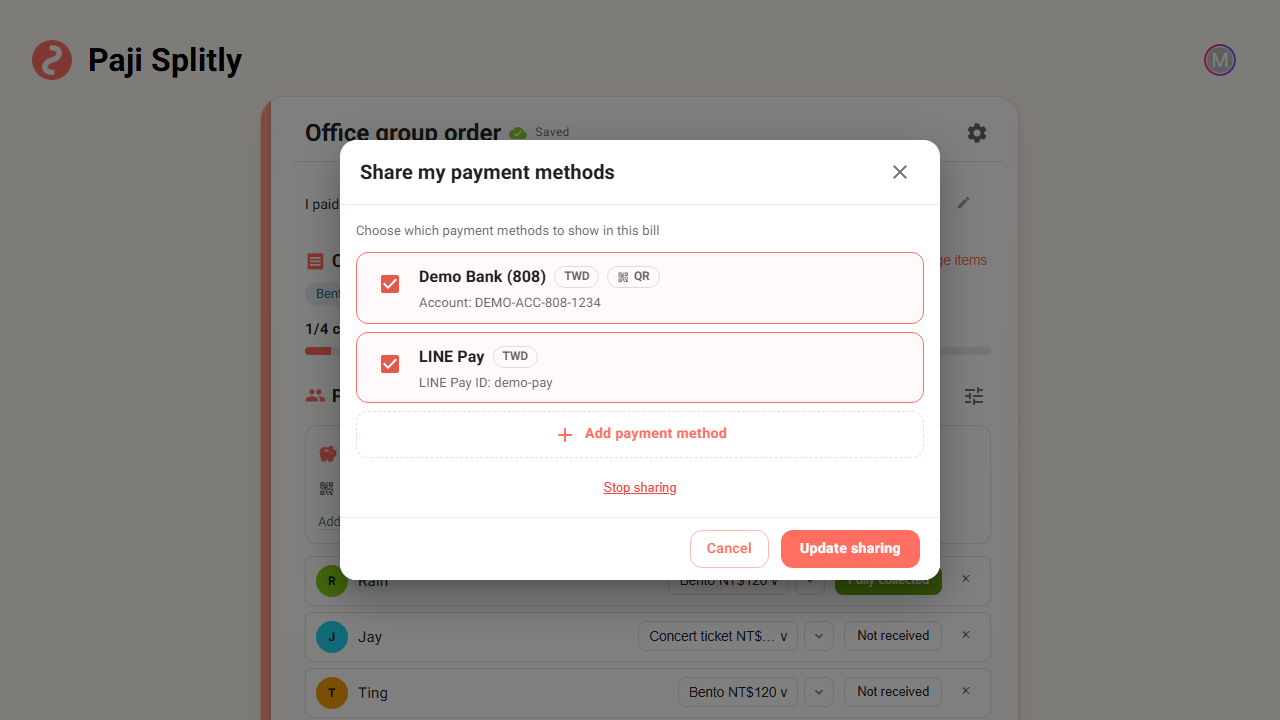
The collector can share their payment methods onto the bill, so when people open it they can see exactly how to pay — accounts copy with one tap, and a payment QR can be opened full size to scan. No re-pasting in the group chat, one fewer question for everyone.
Plan what to collect before you even sign in
Sometimes you just want to lay out what to collect and from whom, before you're ready to set up an account.
Collection mode supports guest local drafts — without signing in, you can build a collection bill and plan the charge items and members. When you're ready to share it with everyone and start tracking who's paid, that's when you go through the publish-and-sign-in flow. Start now, get serious later — that path is open.
The sharing page: no more chasing one by one
Once it's set up, just drop the sharing page into the group chat. By default, each person sees their own status — "you owe X, paid or not" — not everyone else's tab.
If you want to nudge the whole group, you can switch it to show everyone's status, so people can see who's still outstanding together. That works especially well for club dues and shared fees — the kind everyone already knows about and just needs one last push. No pinging people one by one; lay out the list, and whoever hasn't paid will feel it.
Who this update helps
- Group-buy organizers who pay the whole order with their own account, then collect each person's share.
- Anyone ordering tickets, lunch, or drinks for a group, where each person's items and amounts differ.
- Whoever collects club dues or shared fees and wants to see at a glance how many people still haven't paid.
- Anyone who fronts the money and collects it back over time, with some paying in parts and some overpaying.
- People who want to lay out what to collect first, before they're ready to sign in and publish.
The goal of collection mode is simple: keep a kind favor — fronting the money for the group — from turning into a chase for payments one by one. The person who paid first does less chasing, and the people paying know exactly how much they owe and where to send it.